
 Aqurus Solutions
Oil and Gas Industry Outlook for Industrial Specialty Services
 Aqurus Solutions : Jul 21, 2021, 12:53:10 PM
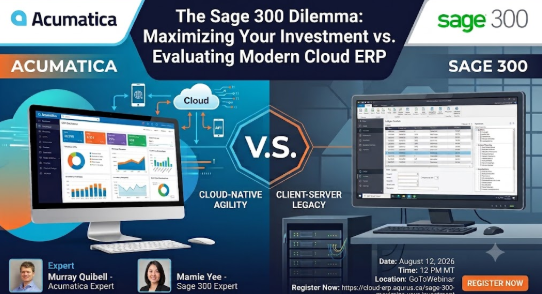
Sage 300 optimization vs cloud ERP migration is about understanding whether you are truly constrained by the software or by how it is implemented and extended. The fastest wins usually come from tightening processes, adding proven ISV solutions, and modernizing infrastructure before you consider a full replacement.
Many mid-sized companies use only a fraction of what Sage 300 can do. For example, firms still printing pick tickets and manually keying receipts often have no barcoding, no scanners, and limited workflow automation. Before planning a multi-year migration, you can deploy warehouse management, scanning, and manufacturing add-ons to reduce errors and speed up fulfillment. These tools sit on top of Sage 300 and immediately address pain like lost inventory, slow order processing, and manual data entry.
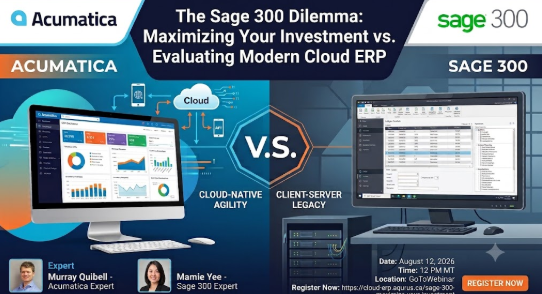
Start with a simple audit. Map your critical processes, order-to-cash, procure-to-pay, and inventory-to-production, and mark where spreadsheets or email approvals fill the gaps. In many environments, 60–70% of the pain points live in those gaps rather than in Sage 300 itself. By closing them with extensions, you protect your sunk investment while getting measurable operational gains.
Another overlooked lever is Sage 300’s deployment model. If you are still running on aging on-prem servers, you can often move Sage 300 to a hosted or private cloud environment. This gives users browser or remote access, better performance, and managed backups without forcing them to relearn a completely new ERP. It is not “true cloud” in the Acumatica sense, but it buys time and stability.
Licensing is a key part of the optimization story. Sage 300’s predictable per-seat pricing can be attractive if your user count is stable and your transaction volume is modest. You know exactly what you pay each year, which helps in low-margin industries. The trade-off is that adding seasonal or occasional users can get expensive, so you may rely on shared logins or offline workarounds, both of which hurt data quality.
For many organizations, a realistic short-term strategy is: stabilize infrastructure, add targeted ISVs for scanning, barcoding, and light manufacturing, and formalize standard operating procedures. You might not eliminate every pain point, but you can often cut manual effort by 30–40% without touching your core ERP. That gives you data and breathing room to evaluate whether, and when, a full cloud move makes sense.
Modern cloud ERP vs legacy Sage 300 becomes compelling once your growth exposes structural limits: disconnected entities, user caps, paper-heavy workflows, and slow reporting. At that point, optimization projects deliver diminishing returns, and the opportunity cost of staying put grows every quarter.
Consider Karsten Group, a global fruit distributor that outgrew Sage 300 as it expanded to 14 farms and 13 entities. They were running six disconnected systems, dealing with paper-based workflows, and struggling with approvals stretched across remote locations. After switching to Acumatica Distribution Edition, Karsten consolidated those six systems into one, eliminated about 2,500 printed invoices per month, and gained instant access to real-time financials across all farms, as highlighted on Acumatica’s Karsten Group case study.
Another example is Cornell Cooperative Extension, a nonprofit serving residents in 56 New York counties. Their legacy Sage 200/300 setup capped users at 56 in a 1,500-employee organization, forcing teams to juggle logins and rely on spreadsheets. After implementing Acumatica’s cloud platform, they deployed 65 tenants in six months and scaled to around 1,000 users. Payroll processing dropped from weeks to minutes, and finance leaders could answer questions on the spot instead of after 24–48 hours, as documented in Cornell Cooperative Extension’s case study.
These stories underline a common pattern. Once your business depends on multi-entity consolidation, mobile approvals, and real-time visibility, a batch-oriented, per-seat licensed system like Sage 300 works against you. Workarounds multiply. Reporting lags. New initiatives stall because integrating yet another tool into an aging on-prem stack is too risky.
Cloud ERP platforms such as Acumatica flip that equation. They are designed for real-time, document-linked costing, cross-border shipments, and multi-entity structures. Because licensing is typically based on resource consumption instead of named users, you can bring more people, operations leaders, farm managers, or program directors, directly into the system without exploding your budget. That wider participation is what makes real-time visibility actually real.
The lesson from Karsten Group and Cornell Cooperative Extension is not “rip out Sage 300 tomorrow.” It is that there is a clear point where adding more ISVs and internal heroics stops paying off. When your business model demands speed, scale, and collaboration across locations, the ceiling in Sage 300 becomes a growth tax that a modern cloud ERP can remove.
Choosing between Sage 300 optimization and cloud ERP migration should be a structured decision, not a reaction to the latest outage or sales pitch. A simple framework is to score your organization across four dimensions: utilization, complexity, agility, and risk. Your composite score will usually point to either “optimize and extend” or “plan a staged cloud migration.”
On utilization, estimate how much of Sage 300’s core financials, inventory, and order management capabilities you actually use. If you are below roughly 60%, there is likely room to improve with better configuration and training. On complexity, list factors like the number of entities, locations, currencies, and integrations. Multi-entity, multi-currency, or heavily regulated environments will hit Sage 300’s limits sooner, as Karsten Group did when managing multiple farms and packhouses.
Agility looks at how quickly you can spin up new entities, channels, or programs. Cornell Cooperative Extension’s move from 56 Sage users to around 1,000 Acumatica users shows how crippling user caps can be when you need to add people or sites rapidly. If launching a new location, eCommerce channel, or business unit requires months of IT work and new infrastructure, that is a strong signal that a cloud platform with flexible licensing would pay off.
Risk includes both technology and business exposure. Older Sage 300 environments often depend on on-prem hardware, a few key internal experts, and manual approvals. Each element is a single point of failure. Contrast that with a cloud ERP that bakes in role-based security, mobile access, automated workflows, and continuous updates. If auditors are flagging control gaps or your leadership team cannot get timely numbers, staying on an underinvested Sage stack may be riskier than migrating.
Once you have scored these areas, sketch two 3–5 year roadmaps. The first assumes you stay on Sage 300, add targeted ISVs, and maybe move to hosted infrastructure. The second assumes a phased move to a cloud ERP like Acumatica, starting with finance and distribution or project accounting. Compare not just licensing and implementation costs, but also soft costs, paper handling, delayed decisions, and limited scalability. Case studies like Karsten’s 2,500 invoices eliminated monthly and Cornell’s payroll going from weeks to minutes make those soft costs visible.
In the end, the right path is the one that aligns with your growth ambitions and risk tolerance. Many organizations will choose a hybrid approach: maximize existing Sage 300 in the short term while actively planning a migration to modern cloud ERP. With clear metrics, real-world examples, and a structured framework, you can make that decision with confidence instead of guesswork.
📅 Date: Wednesday, August 12, 2026
⏰ Time: 12 PM MT / 11 AM PT
⏳ Duration: 1 Hour
What We Will Cover:

Aqurus Solutions : Jul 21, 2021, 12:53:10 PM

Aqurus Solutions : Jan 29, 2021, 6:18:22 AM
5 Ways Acumatica Makes Remote Work Easier for Your Employees

 Murray Quibell : Aug 8, 2024, 4:06:41 PM
Selecting the right financial management system is crucial for the success and expansion of any organization. Among the many options available for...