A Unified Approach to Managing Project Timelines and Production
Modular construction project management sits at the intersection of two operational worlds. Every customer engagement is a project with design requirements, budgets, schedules, billing milestones, transportation, installation, and warranty obligations. At the same time, every module is a manufactured product that requires a bill of materials, labour, inventory, production operations, shop-floor space, and work-in-progress tracking.
When those two worlds are managed in separate systems, teams are forced to reconcile project plans with production records manually. Project managers may not see factory costs until after the fact. Manufacturing teams may lack the commercial context behind an order. Finance must then assemble profitability and work-in-progress information from disconnected sources.
In the accompanying Acumatica modular construction project management demonstration, Aqurus Solutions shows a more connected approach. A modular building project can be structured around its complete lifecycle, while each physical module is controlled through a production order tied back to the correct project task. The result is one continuous flow of operational and financial information.
Watch the demonstration: See how Acumatica connects modular construction project management and manufacturing.
Why Modular Construction Needs Project and Production Data Connected
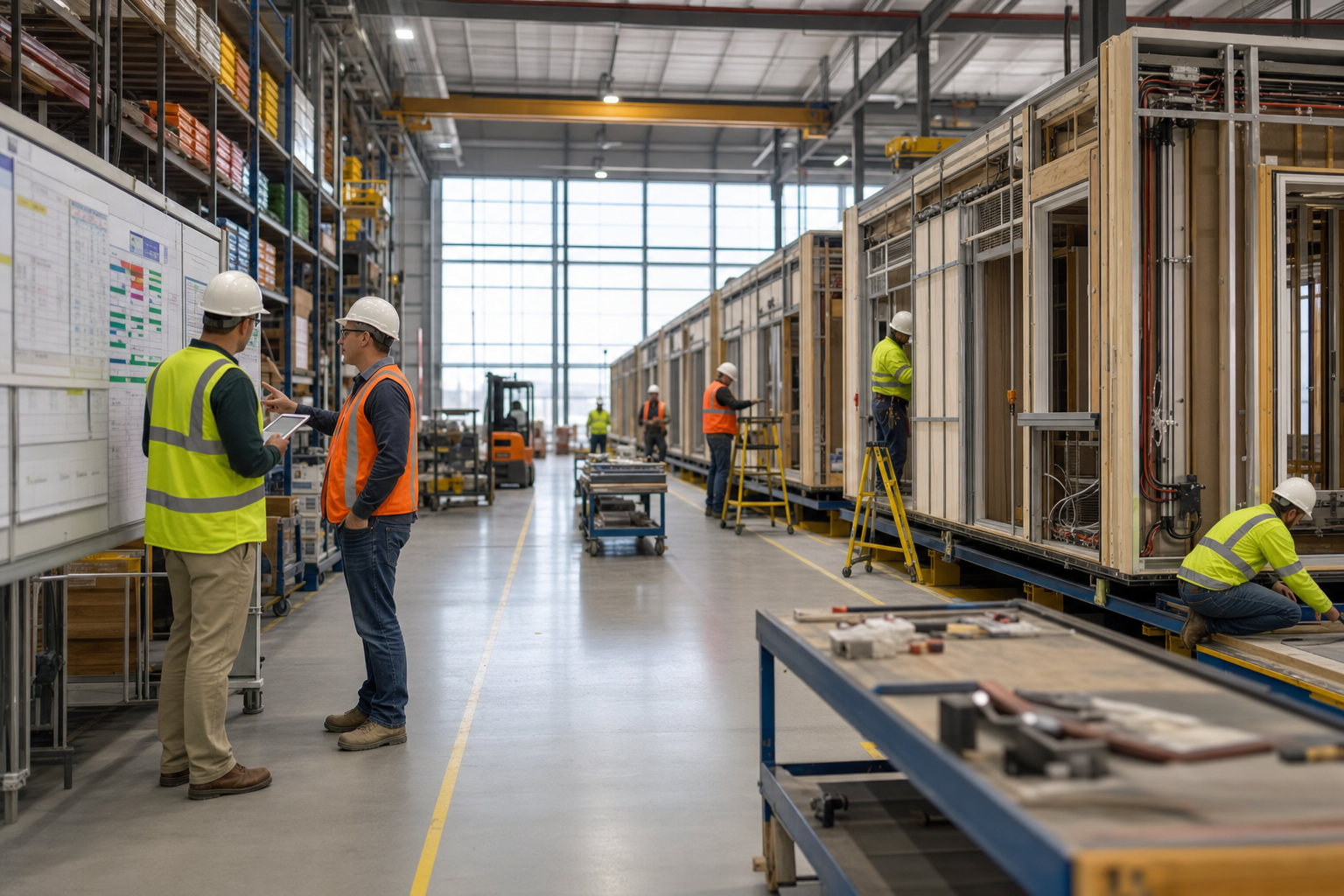
A modular construction company is not simply building inventory for a warehouse. It is manufacturing customer-specific modules as part of a larger contracted project. Design hours, material issues, production labour, yard storage, transportation, installation, and warranty service can all affect the final margin.
That makes the connection between project management and manufacturing essential. The project provides the commercial framework: customer, scope, tasks, budgets, billing rules, and profitability. The production order provides the manufacturing framework: the module being built, its bill of material, routing, labour requirements, serial number, material consumption, and work in progress.
Acumatica allows those records to remain linked, giving project, manufacturing, warehouse, and finance teams a shared view of the same work.
Build the Project Around the Full Modular Lifecycle
The demonstration begins by creating one project for a multi-module construction engagement. Instead of treating the project as one undifferentiated block of work, it is divided into tasks that reflect how the job will actually be delivered.
Typical tasks can include:
- Sales and preconstruction
- Design and engineering services
- A separate production task for each module
- Shipping and transportation to the site
- On-site installation services
- Warranty and follow-up work
This structure matters because every phase has different costs, responsibilities, timing, and revenue recognition requirements. It also gives managers a clearer way to identify where a project is performing well and where margin is being lost.
Give Every Task Its Own Budget and Billing Logic
Acumatica can apply a different billing rule to each project task. Design or installation work may be billed on a time-and-materials basis, while the manufacturing portion may follow progress billing or a fixed amount per module.
Revenue budgets can be established for estimated design hours, flat-rate module revenue, transportation, installation, and other services. Cost budgets can mirror the same structure, with planned labour and material costs assigned to the relevant task.
This task-level approach gives finance and project management a consistent baseline. As work moves into production, actual costs can be compared with the original budget without rebuilding the project structure in another spreadsheet.
Turn Each Module Into a Linked Production Order
After the project and required tasks are activated, each module can be created as a production order. The user selects the module's inventory ID, order date, expected completion date, warehouse or yard location, and the project task to which the module belongs.
Acumatica then creates the production order from the module's default bill of material. Materials, expected labour, production time, and other manufacturing requirements flow into the order automatically. The production order retains its link to the originating project and task, along with the bill of material used to create it.
This is the central synchronization point. Project managers can see which module a production order supports, while manufacturing staff can see the project context behind the work. Each additional module can follow the same repeatable process without losing its individual cost and status history.
Use the Bill of Material and Routing to Control Shop-Floor Execution
The production order details translate the module design into practical shop-floor operations. In the video example, the routing includes activities such as welding the base frame, framing, electrical work, finishing, painting, and inspection.
Each operation can carry its own expected labour time, run time, and material requirements. This gives production teams a defined sequence of work while providing management with a more reliable estimate of the resources needed to complete the module.
Before the order is released, Acumatica can also enforce required information. The demonstration shows the system warning that a serial number must be assigned. A serial number aligned with the project and task creates another useful traceability point as the module moves through production, yard storage, delivery, and installation.
Release Materials and Track Actual Manufacturing Costs
Once a production order is released, materials can be issued for a specific operation. A user may choose only the components needed for the current step, such as welding supplies for the first operation, instead of releasing every item at once.
Acumatica creates a material transaction batch linked to the production order, module, project, and task. Stock items can be relieved from inventory, while applicable non-stock items can also be charged to the production order or project. The issued batch remains visible in the production order's event history, and the related costs appear in its totals.
This creates a traceable connection from the physical movement of materials to project financial performance. It also reduces the lag that commonly occurs when shop-floor activity must be summarized and re-entered into a separate project accounting system.
Track Factory Space and Work in Progress
Large modules consume meaningful factory and yard capacity. The demonstration assigns a work location, such as a specific warehouse bay, to the production order. That gives the business a practical way to identify where a module is being built and which production areas are currently occupied.
As materials and labour are posted, work-in-progress values accumulate on the production order and roll back to the connected project. Project managers and finance teams can refresh the project balances to see current manufacturing activity alongside the revenue and cost budgets established at the beginning of the job.
For a modular builder, that visibility supports several important decisions:
- Whether project costs are tracking to budget
- Which modules are actively consuming labour and materials
- How much work in progress is associated with the project
- Which factory or yard locations are occupied
- When billing milestones can be supported by production progress
What a Connected Modular Construction Workflow Changes
The value of this workflow is not just that project and manufacturing records exist in the same ERP system. The real advantage is that each operational event retains its business context. A material issue is connected to an operation, production order, module, task, and customer project. Manufacturing progress contributes to project work in progress. Billing and cost reporting use the same task structure established during planning.
This helps modular construction companies replace disconnected spreadsheets and after-the-fact reconciliations with a coordinated process spanning design, manufacturing, inventory, yard management, transportation, installation, and warranty work.
For more background on connecting these operational areas, explore our article on transforming construction manufacturing with ERP.
Master Modular Construction with Aqurus Solutions
Synchronizing project management and manufacturing gives modular builders a clearer view of scope, production status, resource usage, work in progress, billing, and profitability. Aqurus Solutions can help you configure Acumatica around the way your modules are designed, manufactured, delivered, and installed. Contact Aqurus Solutions to discuss a connected Acumatica workflow for your modular construction business.

 Murray Quibell
 Aqurus Solutions : Aug 4, 2020 4:17:34 AM
